MYSPACE MUSIC PLAYER & NO SHOWS CODE FIX *A - IF THIS DOES NOT WORK TRY THIS ONE
........................................................................................
I Fixed the AUTO - PLAY ISSUE
(Make sure if used the old tutorial of this one WELL... Head back into Edit Profile, Manage Featured Songs, *RE-CHECK / MARK IT* Auto Start Songs...)
And Now... Follow This New Order
*ERASE ANY MUSIC PLAYER & SHOWS CODE YOU MAY HAVE*
First:
*Go to this Website: http://www.garyshood.com/bandplayer/
Place your Myspace URL in the field like below:
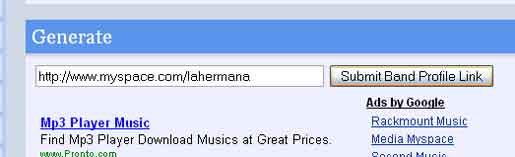
Click Submit Band Profile Link button.
This will return a code.
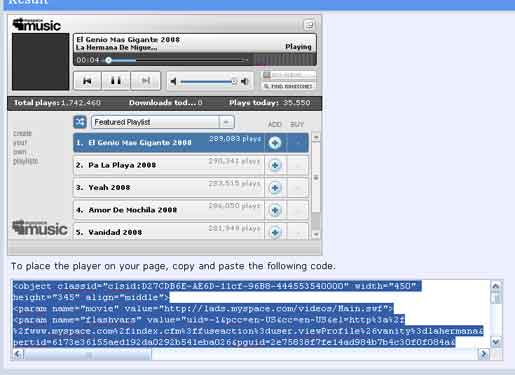
Copy Provided Code
Second:
Place These codes in **INFLUENCE SECTION** (NEW CUSTOM MUSIC PLAYER BOX)
Note From A User:
*Please ignore unavoidable Flash 10 security error #2060 after you embed the new player!
-Scott Willson
Third:
Place these Codes in **INFLUENCE SECTION** (NO SHOWS CODE)
Fourth:
NOW FINALLY - Go to "Edit Profile" / "Manage Featured Song" / "Un-Check" Auto-play first song when my Artist profile is viewed.
(I'm Sorry it is needed or it will Conflict with your Music Player, unless you want 2 music players playing at the same time.. =P)
How to work the placement:
Align the Music Player: NEW CUSTOM MUSIC PLAYER BOX (Just change *Top* & *Left*)
I HOPE YOU UNDERSTOOD THIS HUGE MESS...
But it works on All Browsers Perfectly, If it is not working for you EMAIL ME with your Myspace URL
-Erick